Virtual Machine Recovery Heroes.
VBK Repair could Help System Administrators to retrieve Files from corrupted Veeam backups.
QUICK STARTVBK Repair could Help System Administrators to retrieve Files from corrupted Veeam backups.
QUICK STARTIncremental VIB backups contain only the blocks that have changed since the last backup in the Veeam backup chain.
Therefore, if the SQL Server backup is correctly scheduled to run daily, the latest transaction may contain a complete SQL Server backup in .bak format.

The storage of Veeam backups on NAS devices is a widespread practice, with QNAP and Synology accounting for a significant proportion of commonly deployed platforms.
The majority of QNAP devices use EXT4 as their primary file system, offering a significant recovery opportunity through the analysis of the file system journal to identify deleted inodes.
As part of the Veeam backup provisioning process, older backup files are commonly deleted automatically by Veeam itself. Consequently, an analysis of the transactions recorded in the journal may prove valuable in locating backup files that were deleted prior to the ransomware attack.
The recovery of lost inodes can be performed using either commercial or open-source solutions. In this specific case, the analysis will be conducted using The Sleuth Kit, an open-source forensic toolkit.
Before proceeding with the analysis, it is advisable to create a full-disk image of the array. This provides greater flexibility during the investigation and allows multiple solutions and tools to be used without directly modifying the original storage media.
To analyze the nas disk image and assess the presence of recoverable inodes, we can use the fls command included in The Sleuth Kit.
fls [ disk_image ] -o [ partition offset ] [ inode ]
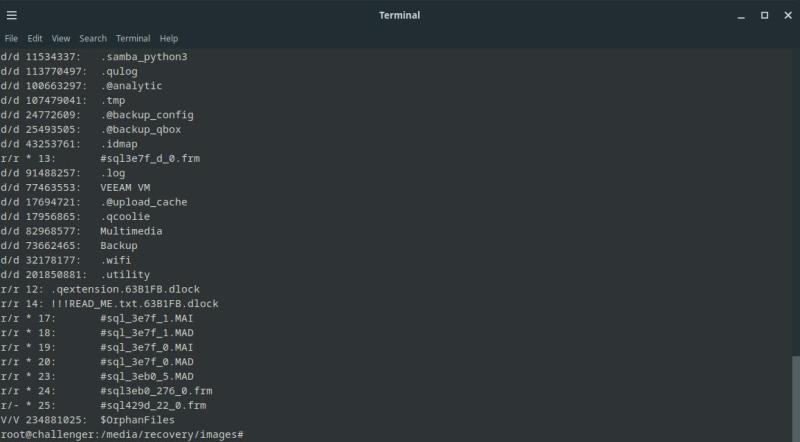
The fls command executed with The Sleuth Kit will provide access to the QNAP root directory. At this point, it is sufficient to execute the fls command with a pointer to the inode associated with the Veeam backups.
Once the inode metadata has been enumerated, the directory previously used to store the Veeam backups can be examined to identify deleted inodes and assess the integrity of the associated file-system metadata.
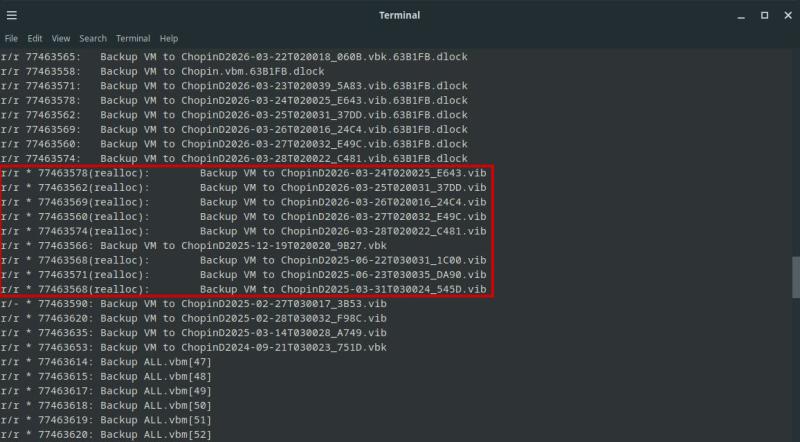
The availability of VBK files would be a positive indication. However, given their typically large size, they may have been partially overwritten.
For a detailed tutorial on recovering partially overwritten VBK files, please refer to the relevant article on this blog.
We will therefore proceed with the extraction of the .vib files and their subsequent analysis using VBK Studio.
VBK Studio provides the capability to analyze and extract content from a VIB file independently of the backup chain, even when the VBM and VMDK files are corrupted or unavailable.
In the example presented, a complete and consistent backup layout containing four virtual machines can be observed.
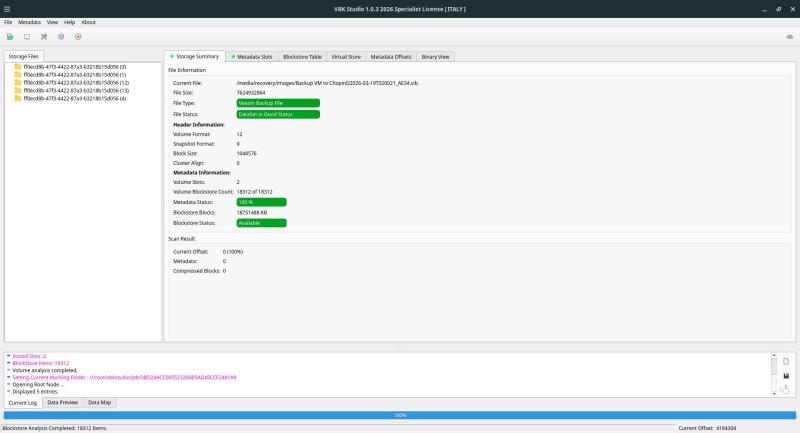
By expanding the Veeam folder structure, it is possible to access the individual incremental backup associated with the selected virtual machine.
The Blocks Table uses a specialized “relative” mapping scheme: it identifies the relative block that has changed with respect to the preceding backup in the backup chain.
It is important to note that the blocks listed in the Blocks Table consist exclusively of blocks that have undergone changes. The complete virtual machine is not available.
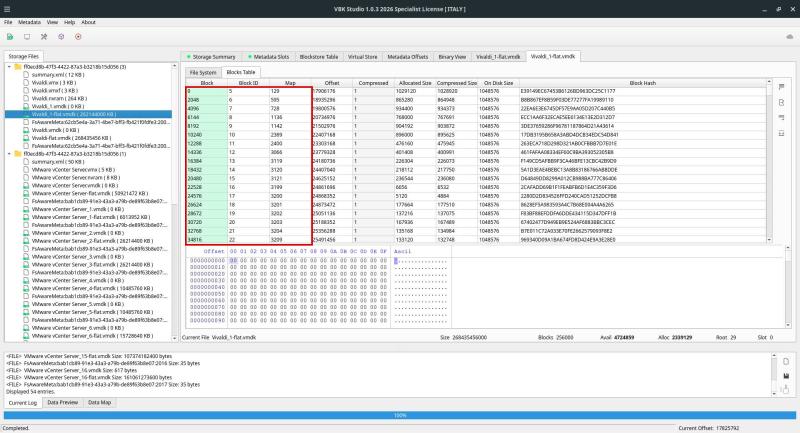
The available blocks can nevertheless be used to create a “partial” image, enabling the recovery of only the information required to reconstruct the database.
To proceed with the image dump, use the “Save Allocated Blocks To File” function.
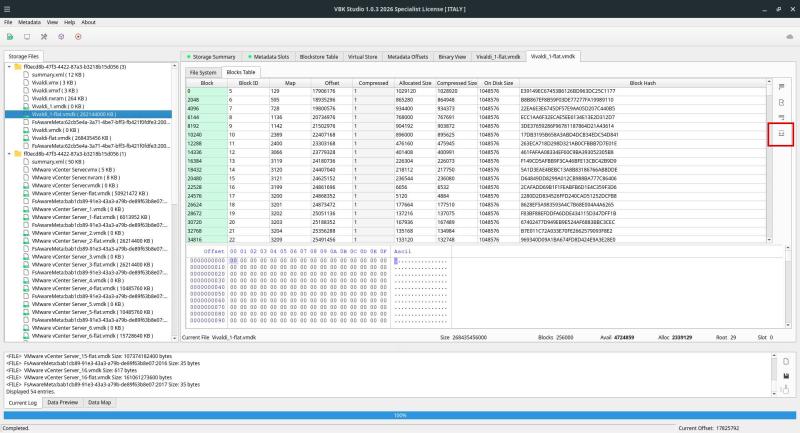
Upon completion of the dump procedure, the resulting disk image will mirror the original virtual machine’s disk layout, containing only the blocks that have undergone changes.
It is therefore possible that the partition table may be absent. In such cases, a data recovery tool must be used to analyze the resulting image.
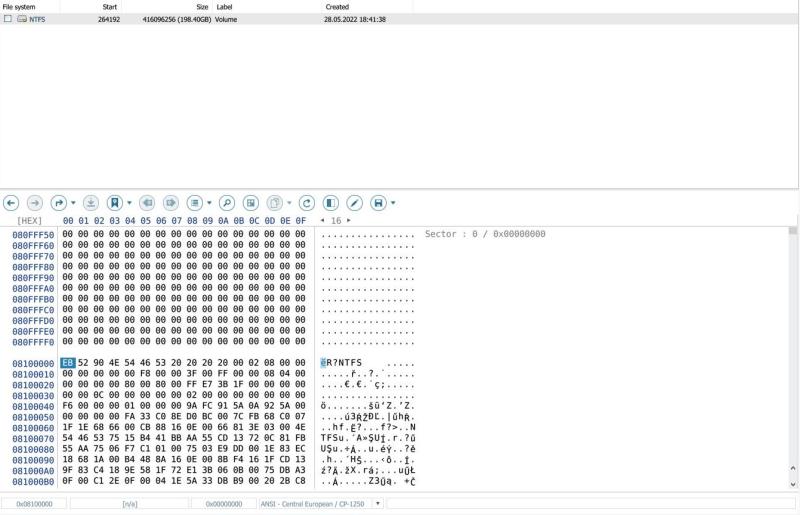
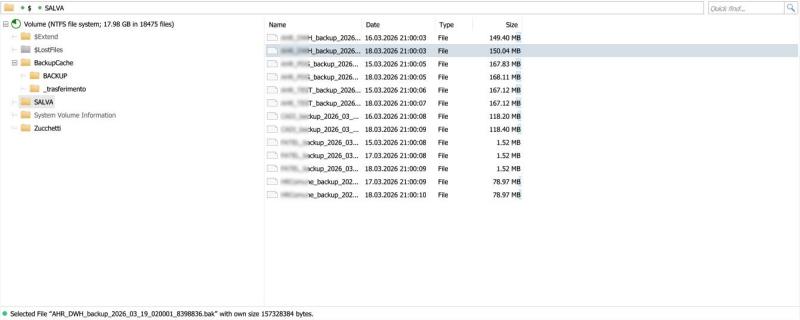
Finally, we can locate the SQL Server backups stored during the most recent backup session and complete the recovery process.
The recovery procedure described above demonstrates that, even in the event of severe corruption or ransomware-related damage to a Veeam backup environment, valuable recovery opportunities may remain available at the file-system and block level.
The analysis of deleted inodes within the EXT4 file system can provide access to previously deleted VIB files, while the examination of their internal block structures may allow the recovery of relevant data even when the original Veeam backup chain is no longer available or fully functional.
VBK Studio further enables the analysis of individual VIB files independently of the original backup chain, allowing the available blocks to be mapped and extracted. Although an incremental VIB does not contain the complete virtual machine, its changed blocks may contain sufficient information to reconstruct a targeted “dirty” image containing the data required for a specific recovery operation.
In the SQL Server scenario described in this case, this approach can make it possible to locate and recover the SQL Server backup files contained within the most recent available backup session, thereby enabling the database recovery process to be completed.
The overall recovery strategy therefore consists of combining file-system forensic analysis, deleted-inode recovery, VIB block-level analysis, selective image reconstruction, and targeted data extraction. This approach can significantly expand the range of recovery possibilities when conventional Veeam restore procedures are no longer applicable.

Another classic case of a ransomware attack on an ESX server, along with the related Veeam backup stored on a QNAP NAS. The particular challenge in this case is the monthly full backup schedule, which made restoring the data to the date of the attack much more complex.

In this case, a cyberattack carried out by the SARCOMA group affected an ESXi server and the Veeam backups stored on a Synology NAS.

In this case, we address the recovery of a SQL Server backup affected by a DEADLOCK 2026 ransomware, using only the blocks embedded in the incremental VIB file.

If veeam Extract process does interrupt suddendly with Error Failed to export block restore descriptor could be related to a slight metadata corruption. In most of such cases data are still in perfect shape.

Whenever a Veeam backup file suffers from header corruption or partial metadata damage, Veeam typically returns the error message: All instances of the storage metadata are corrupted. This error may appear alarming, but it does not necessarily mean that all backup data has been lost. In this article, we explain what this message actually means, how to diagnose the underlying issue, and the availab

This article discusses the techniques for generating a single disk image from complex RAID configurations and LVM2 volumes typically deployed on QNAP NAS systems.