Virtual Machine Recovery Heroes.
VBK Repair could Help System Administrators to retrieve Files from corrupted Veeam backups.
QUICK STARTVBK Repair could Help System Administrators to retrieve Files from corrupted Veeam backups.
QUICK STARTQNAP systems frequently rely on complex storage architectures based on LVM2 running on top of RAID 5 or RAID 6 arrays. In many deployments, LVM volumes are organized into storage tiers or utilize thin provisioning technologies to optimize storage allocation and performance.
In such configurations, generating a linear disk image from a direct RAID array dump is impractical because the logical-to-physical block mapping may be altered by tiering or thin-provisioning mechanisms, and data extents may be coalesced across the storage pool.
The creation of a unified disk image representing the original RAID volume provides several key benefits:
To acquire a disk image from a complex volume configuration, all member disks should be removed from the NAS and connected to a forensic or analysis workstation. This enables the reconstruction and interpretation of the RAID and LVM metadata, as well as a detailed analysis of the configured storage volumes.
To analyze and reconstruct complex storage volumes, a significant number of disks may need to be connected simultaneously to a single computer. This can be accomplished using multi-port PCIe AHCI controllers or external JBOD enclosures, such as ORICO storage expansion systems, which allow direct access to each individual drive.
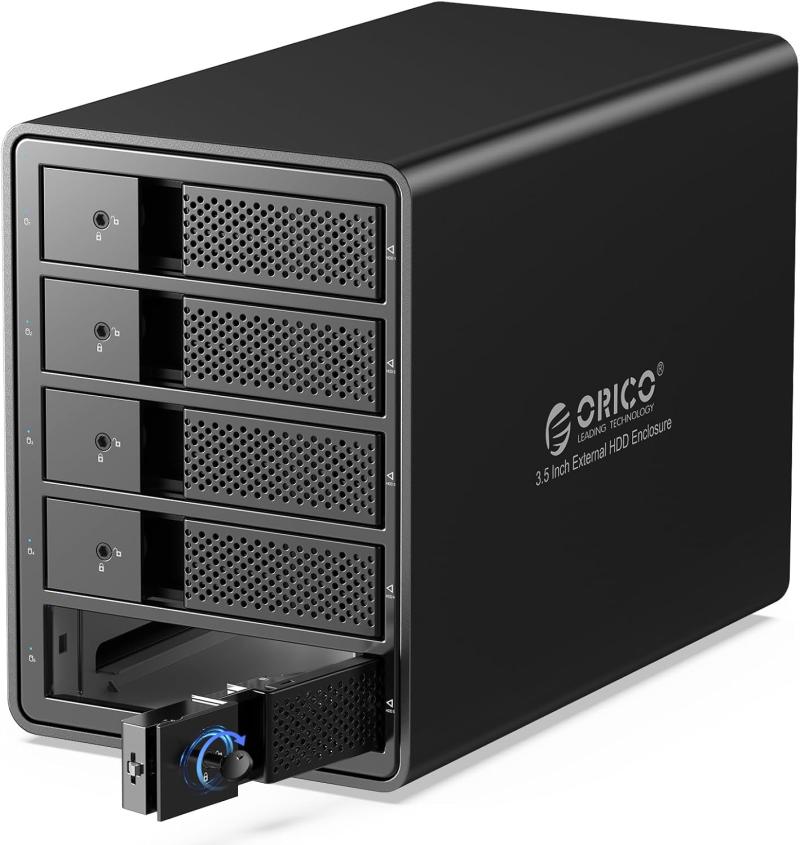
Be careful to setUp Orico to Single Disk configuration before inserting QNAP disks into enclosure.
You should be SURE enclosure is exposing disks as single units.
This procedure can be particularly challenging because QNAP systems running QTS employ a storage architecture that deviates from standard Linux implementations. As a result, importing a QNAP volume into a different Linux distribution may require recompiling and customizing LVM2 to properly handle QNAP-specific metadata structures and storage configurations.
Although specialized tools exist for the virtual reconstruction of the original volume layout, their effective use requires advanced knowledge of LVM2 internals, including the analysis and reconstruction of the metadata mappings stored within the META partition.
Although the acquisition of a disk image from an operational QNAP system may not align with conventional forensic imaging practices, it represents a practical and efficient solution in all scenarios where Raid Array is still functional. By capturing the logical volume directly, it is possible to avoid RAID reconstruction errors, eliminate array assembly challenges, and significantly simplify the acquisition process while maintaining high performance and operational reliability.
Requirements:
The initial step is to enable root-level access on the QNAP system, which is disabled by default. This requires activating the administrator account and enabling the SSH service.
After configuring the SSH client, establish a connection using the following command:ssh qnap_server_ipaddress -l admin
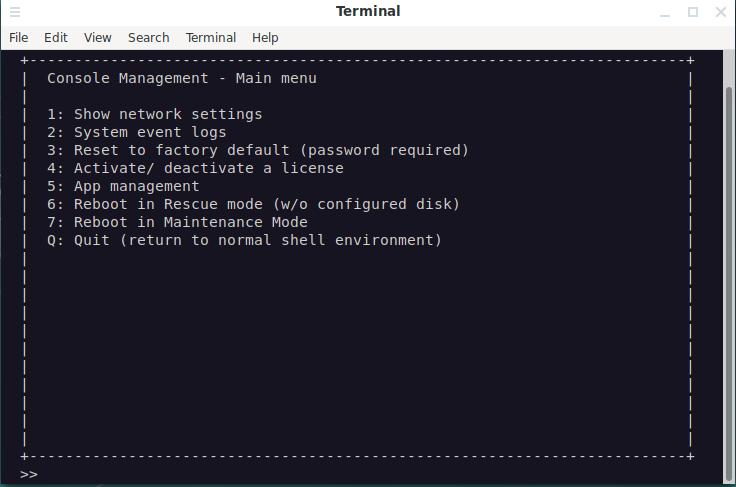 |
Are you sure you want to exit the console menu and return to normal
shell environment? (Y/N)
Now You have the root Shell
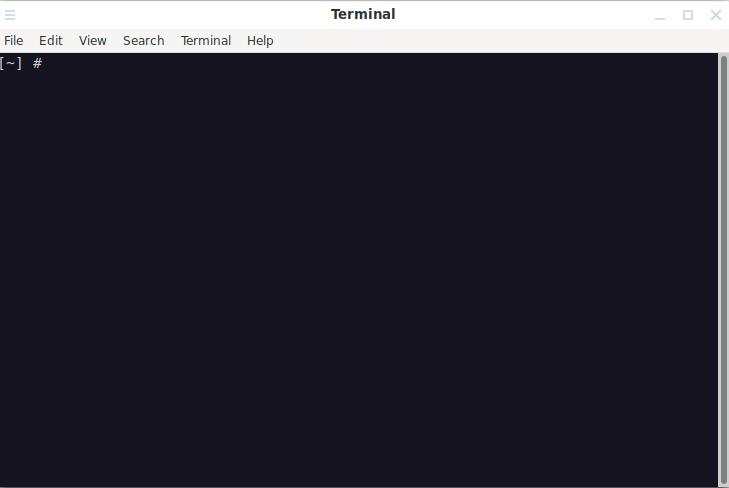
Now Type "mount" command and press "enter"
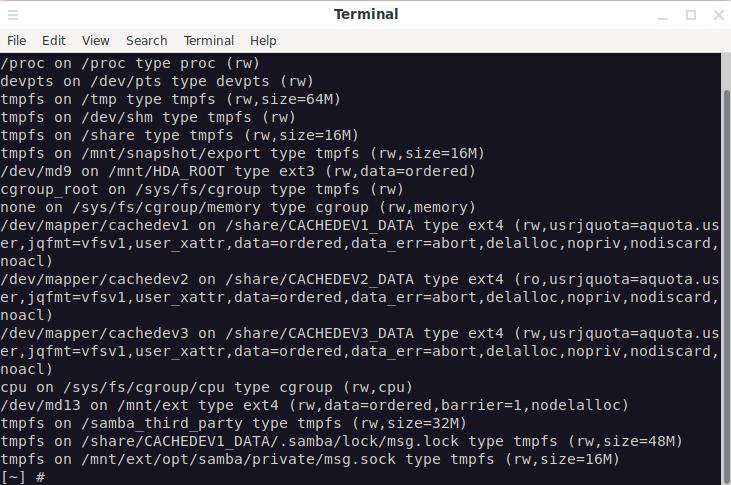
Mount Command will display virtual devices and mount points.
Locate your Volume "/dev/mapper/cachedevx" and use it to acquire the partition as source file.
Now locate rear USB3 Ports on QNAP and connect external USB Storage.
Type "mount" command again to locate assigned mount point and USB device ID
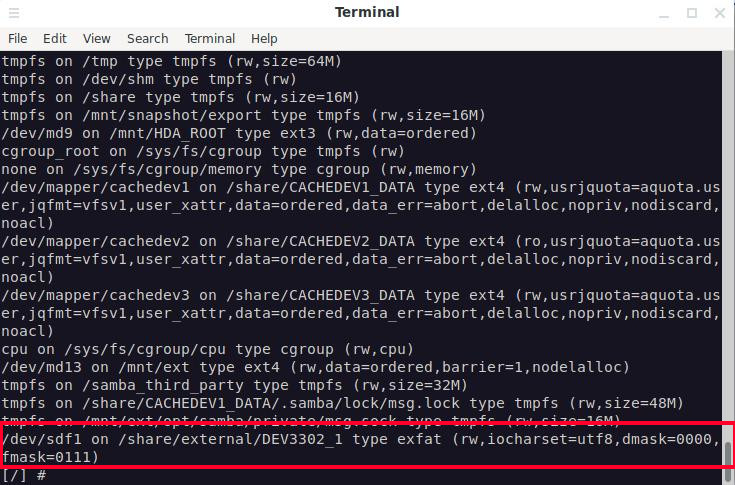
You are ready to start QNAP Volume disk imaging using integrated dd utility.dd if=/dev/mapper/cachedevx of=/share/external/your_disk_label/qnapdiskimage.dsk bs=8192
The creation of a single disk image from a RAID array provides multiple advantages, including preservation of the original data environment, substantial performance improvements, and simplified compatibility with various analysis tools across different platforms.
Analyzing a unified binary stream forms the basis for forensic examination and the recovery of deleted inodes using both open-source and commercial tools.
However, acquiring disk images directly from physical drives removed from a NAS may be challenging due to non-standard RAID configurations or complex LVM volume structures.
A practical solution for avoiding the complexities of cold assembly is to acquire the disk image directly from the QNAP shell, redirecting the logical volume output stream to an image file stored on an external external disk.

In this case, we address the recovery of a SQL Server backup affected by a DEADLOCK 2026 ransomware, using only the blocks embedded in the incremental VIB file.

If veeam Extract process does interrupt suddendly with Error Failed to export block restore descriptor could be related to a slight metadata corruption. In most of such cases data are still in perfect shape.

Whenever a Veeam backup file suffers from header corruption or partial metadata damage, Veeam typically returns the error message: All instances of the storage metadata are corrupted. This error may appear alarming, but it does not necessarily mean that all backup data has been lost. In this article, we explain what this message actually means, how to diagnose the underlying issue, and the availab

This article discusses the techniques for generating a single disk image from complex RAID configurations and LVM2 volumes typically deployed on QNAP NAS systems.