Virtual Machine Recovery Heroes.
VBK Repair could Help System Administrators to retrieve Files from corrupted Veeam backups.
QUICK STARTVBK Repair could Help System Administrators to retrieve Files from corrupted Veeam backups.
QUICK STARTIn this case, we are dealing with a ransomware attack carried out by the LYNX group on a VMware datastore. The virtual machine is a Linux system dedicated to Apache2 web server functions.
First We will check Corrupted file with veeam extract utility:
./extract Apache.vm-120295D2025-10-07T070019_5CCF.vbk.LYNX
File Apache.vm-120295D2025-10-07T070019_5CCF.vbk.LYNX is not supported.
Next we try renaming file extension to vbk.
Storage (version '1676737177') doesn't support encryption.--tr:Failed to retrieve key sets from encrypted storage.
The peculiarity of this case is that all the metadata required to open the Veeam VBK file is corrupted, making it necessary to perform a full scan of the file in order to reconstruct the original structures.
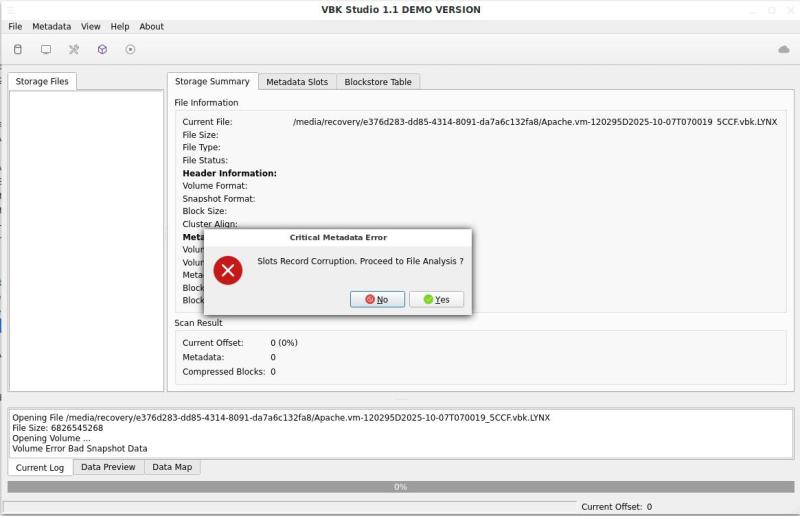
Although VBK Studio performed a cross-analysis of the backup storage snapshot, there are no valid structures or pointers available to analyze the slot locations.
We therefore have only one option: a full analysis of the file, which must be carried out in its entirety.
At this point, it is necessary to wait for the scanning process to complete in order to ensure the best possible outcome.
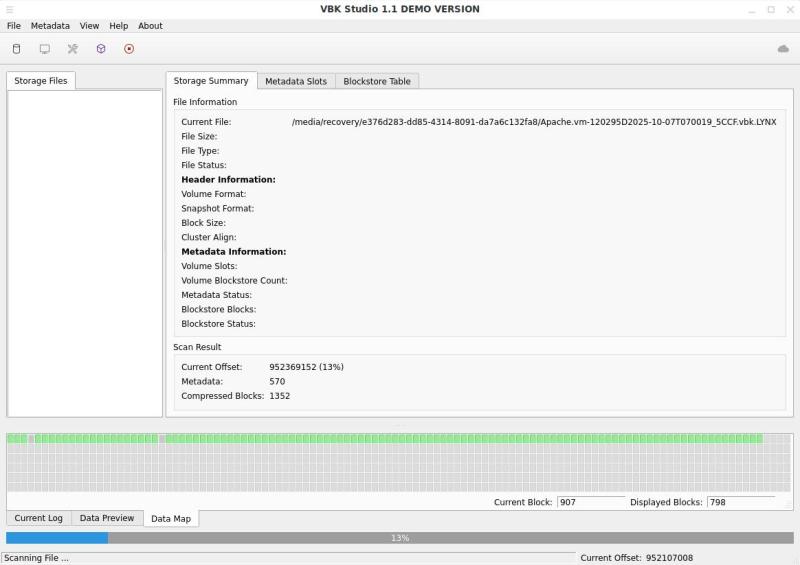
Please Check always Datamap View, Green Blocks are Veeam Compressed Objects, so this kind of visual result is promising.
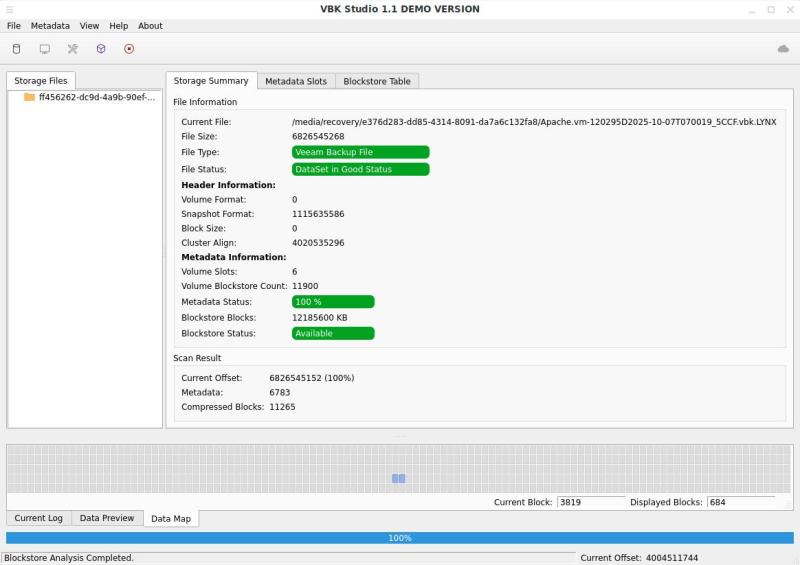
Once the analysis is complete, it is necessary to perform several quality checks on the results.
Check the Summary Page to verify whether the recovered metadata quality is good, and analyze the slots and the block store.
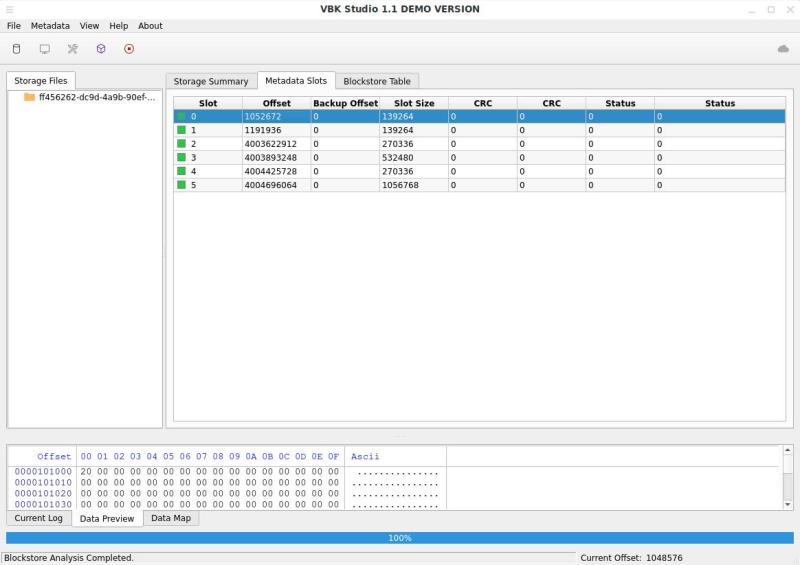
Slots are fundamental for a Veeam file, as they represent the positions of the metadata groups within the backup file. Since the system is based on direct pointers, it is necessary to have the most accurate slot table possible. Do not worry—VBK Studio will perform all calculations fully automatically.
The BlockStore is a fundamental component for the operation of a Veeam backup. It is an allocation table containing the position and size of each block within the backup file, as well as the compression status, the algorithm used, and the content hash.
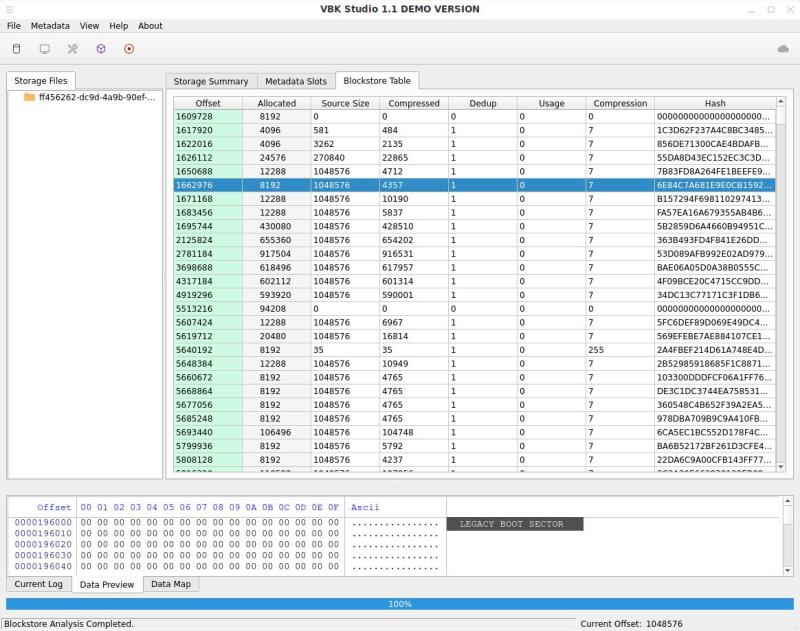
Moving on blockstore record is possible to display compressed units and decompress on-the-fly contents with just one click.
Now it is time to view the results and the contents of the Veeam backup. Simply open the root folder in the left pane to expand its contents.
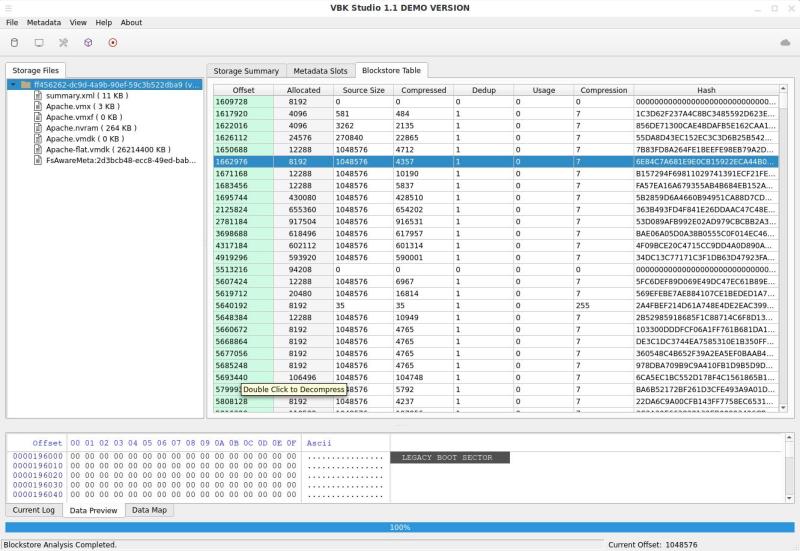
To open a file contained in the backup (in this case the VM’s VMDK file for the Apache machine), simply double-click the VMDK file (it is easy to identify based on its size or on name - usually flat ).
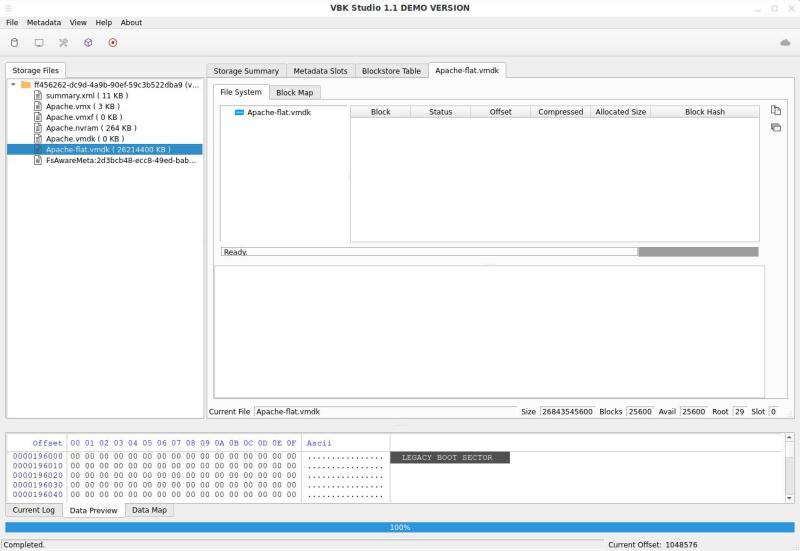
Once the allocation compilation process has been rebuilt, you can expand the partition structure and view files and folders. It is then possible to navigate through the blocks associated with the virtual machine and extract individual blocks or perform a full dump of the virtual machines.
Even though a ransomware attack carried out by the LYNX cybercriminal group may appear to be a major corporate disaster, it is important to carefully assess the impact on Veeam backups, if available. In a traditional operational context, a single byte can render a veeam backup unusable, whereas advanced recovery techniques can sometimes deliver surprising results.

Another classic case of a ransomware attack on an ESX server, along with the related Veeam backup stored on a QNAP NAS. The particular challenge in this case is the monthly full backup schedule, which made restoring the data to the date of the attack much more complex.

Another case of attack of akira group on Veeam backup.Data Recovery target is a simple File Sharing Service Server.

In this case, we address the recovery of a SQL Server backup affected by a DEADLOCK 2026 ransomware, using only the blocks embedded in the incremental VIB file.

If veeam Extract process does interrupt suddendly with Error Failed to export block restore descriptor could be related to a slight metadata corruption. In most of such cases data are still in perfect shape.

Whenever a Veeam backup file suffers from header corruption or partial metadata damage, Veeam typically returns the error message: All instances of the storage metadata are corrupted. This error may appear alarming, but it does not necessarily mean that all backup data has been lost. In this article, we explain what this message actually means, how to diagnose the underlying issue, and the availab

This article discusses the techniques for generating a single disk image from complex RAID configurations and LVM2 volumes typically deployed on QNAP NAS systems.