Virtual Machine Recovery Heroes.
VBK Repair could Help System Administrators to retrieve Files from corrupted Veeam backups.
QUICK STARTVBK Repair could Help System Administrators to retrieve Files from corrupted Veeam backups.
QUICK STARTIn this cyberattack targeting virtual machines, the encryption process focused on Hyper-V VHDX virtual machines and Veeam backups stored on Synology NAS servers.
The attack was executed with extreme precision, and all metadata associated with the virtual disks was permanently damaged.
A key characteristic of Hyper-V virtual disks is the presence, within the file header, of a BAT (Block Allocation Table), which is essential for data mapping, since Hyper-V virtual disks are designed using coalescing data blocks.
Using the information contained within the Hyper-V disks is therefore impossible, as only small data fragments may remain contiguous, making the recovery of a database, for example, entirely impractical.
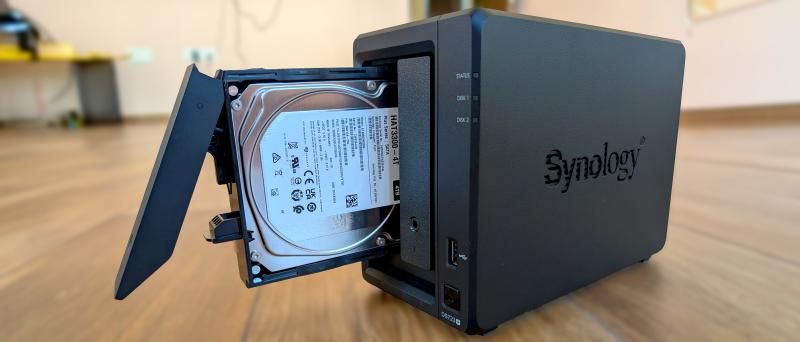
The Synology server was also severely compromised, and all Veeam backups appear to be corrupted.
The conducted analysis demonstrated that, during the attack, the most recent backups were encrypted and subsequently deleted.
The EXT4 filesystem journal is unusable, and no deleted files belonging to older backups are recoverable.
Recovering Veeam files through file carving techniques can rarely be effective, since in most cases the backup files stored on the NAS are fragmented.
A conventional signature-based recovery algorithm would only be able to reconstruct a small portion of the Veeam backup file.
Each individual Veeam file underwent significant encryption affecting several gigabytes within the header area, along with repeated corruption cycles throughout the entire data stream, severely damaging the header, snapshots, and datastore structures.
Damage of this magnitude cannot be resolved through traditional recovery methods, including even the most advanced techniques.
The VBK files still present on the Synology system were subjected to an analysis aimed at reconstructing the slots and the Virtual Block Store using VBK Studio.
The resulting process enabled the recovery of the stored file systems associated with several VHDX virtual machines and made it possible to extract files and databases.
Since the SQL Server databases were highly fragmented and distributed across multiple locations within the virtual backup, certain portions of the databases were found to be corrupted.
Veeam backups are based on the MD5 calculation of fixed-size disk blocks.
This architecture naturally implies that differential backups may contain identical hashes, assuming that the content of a database does not significantly change across the entire file over the span of a few days.
It is therefore mathematically probable that multiple versions of the same compressed block, sharing the same hash value, exist within a backup NAS system.
A full analysis of the NAS and the indexing of all compressed Veeam blocks, regardless of the file in which they were originally stored, is a plausible and effective operation. This can be performed using VBK Scavenger, a tool designed for indexing storage devices and Veeam data blocks.
VBK Scavenger is capable of identifying the original hash of each individual compressed Veeam block present on a disk image or physical hard drive, even when the data is no longer associated with its original backup structure.

A subsequent step after indexing is the localization of snapshots and slots, and the virtual reconstruction of the Veeam file using metadata only.
If the reconstructed structure contains a sufficiently complete and consistent metadata set, it is possible to reapply the blocks whose hashes have been computed directly into the corresponding positions within the rebuilt file structure.
Assuming that alternative blocks with the same hash may exist on the storage and belong to other Veeam files, the global block store can be applied as an overlay method to Veeam files that contain errors or corruption.
A recovery approach based on global block indexing and cross-referencing identical hashes across multiple Veeam repositories is conceptually sound in environments where deduplication, block reuse, and consistent hashing are present. In such scenarios, a global block store can, in theory, act as a reconstruction layer, allowing corrupted or missing segments of backup chains to be partially restored by substituting equivalent validated blocks from other backup instances.
However, the effectiveness of this method depends heavily on several constraints. First, the integrity of metadata remains critical: without reliable snapshot chains, slot references, and block mapping tables, reconstruction becomes probabilistic rather than deterministic. Second, even when identical hashes are identified, contextual consistency is not guaranteed—blocks with the same hash may not always be safely interchangeable if corruption affects structural alignment, compression context, or backup versioning logic. Third, heavy encryption or metadata destruction significantly reduces the ability to validate block placement within reconstructed Veeam structures.
In practice, this approach can yield partial recovery results, especially for file-level extraction or non-contiguous datasets. It is less reliable for high-consistency workloads such as relational databases (e.g., SQL Server), where even minor block misalignment can lead to logical corruption.
Overall, the global block store overlay strategy should be considered a best-effort forensic reconstruction technique rather than a fully deterministic recovery method, with outcomes ranging from partial data extraction to complete inability to rebuild coherent backup chains depending on the severity and nature of the damage.
NightSpire Case Data Recovery Result – Summary Outcome
The recovery process produced a partial but meaningful restoration outcome, with results varying significantly depending on data type and structural integrity of the backup chains.
Recovered components:
Failed components:

In this case one ransomware attack encrypted a backup of a Apache Web server.Both Veeam Header and Snapshot Metadata have been compromised.

Another classic case of a ransomware attack on an ESX server, along with the related Veeam backup stored on a QNAP NAS. The particular challenge in this case is the monthly full backup schedule, which made restoring the data to the date of the attack much more complex.
This content explains the basic operating principles of VBK Recovery and the types of cases that can be handled with this powerful tool.

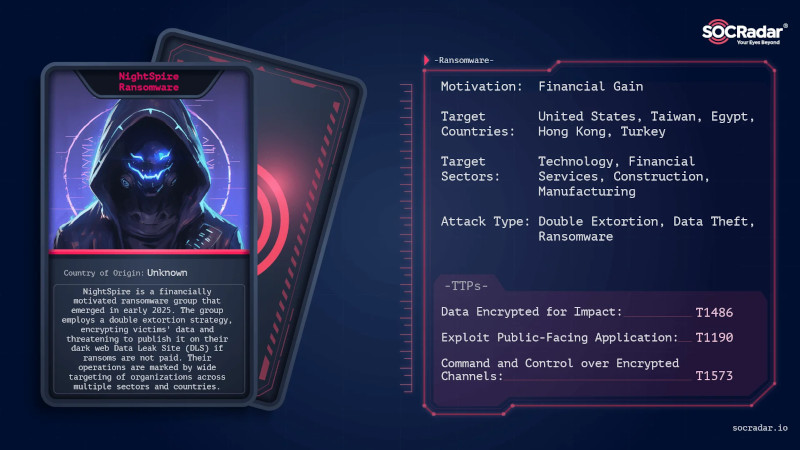
We are analyzing a cyberattack carried out by the Team NightSpire group that targeted a Microsoft Hypervisor and the related backups stored on Synology NAS systems. The attack was executed with absolute precision, leaving no possibility of intervention through traditional recovery methods.

In this case, we address the recovery of a SQL Server backup affected by a DEADLOCK 2026 ransomware, using only the blocks embedded in the incremental VIB file.

If veeam Extract process does interrupt suddendly with Error Failed to export block restore descriptor could be related to a slight metadata corruption. In most of such cases data are still in perfect shape.

Whenever a Veeam backup file suffers from header corruption or partial metadata damage, Veeam typically returns the error message: All instances of the storage metadata are corrupted. This error may appear alarming, but it does not necessarily mean that all backup data has been lost. In this article, we explain what this message actually means, how to diagnose the underlying issue, and the availab

This article discusses the techniques for generating a single disk image from complex RAID configurations and LVM2 volumes typically deployed on QNAP NAS systems.